A local D&D character sheet you can customize
Sigil is a free virtual character sheet for Dungeons & Dragons on Windows. It keeps character data locally, with cards and layouts you can arrange yourself. No account is required.
From a fixed PDF to editable cards
A PDF gives you a fixed set of fields and a page layout. In Sigil, your sheet is made of cards for things such as ability scores, health, spellcasting, weapons and resources. You choose which cards are visible and where they sit.
This suits players who want to keep the manual control of a PDF while changing the sheet’s arrangement as their character develops. Sigil is currently designed specifically for D&D.
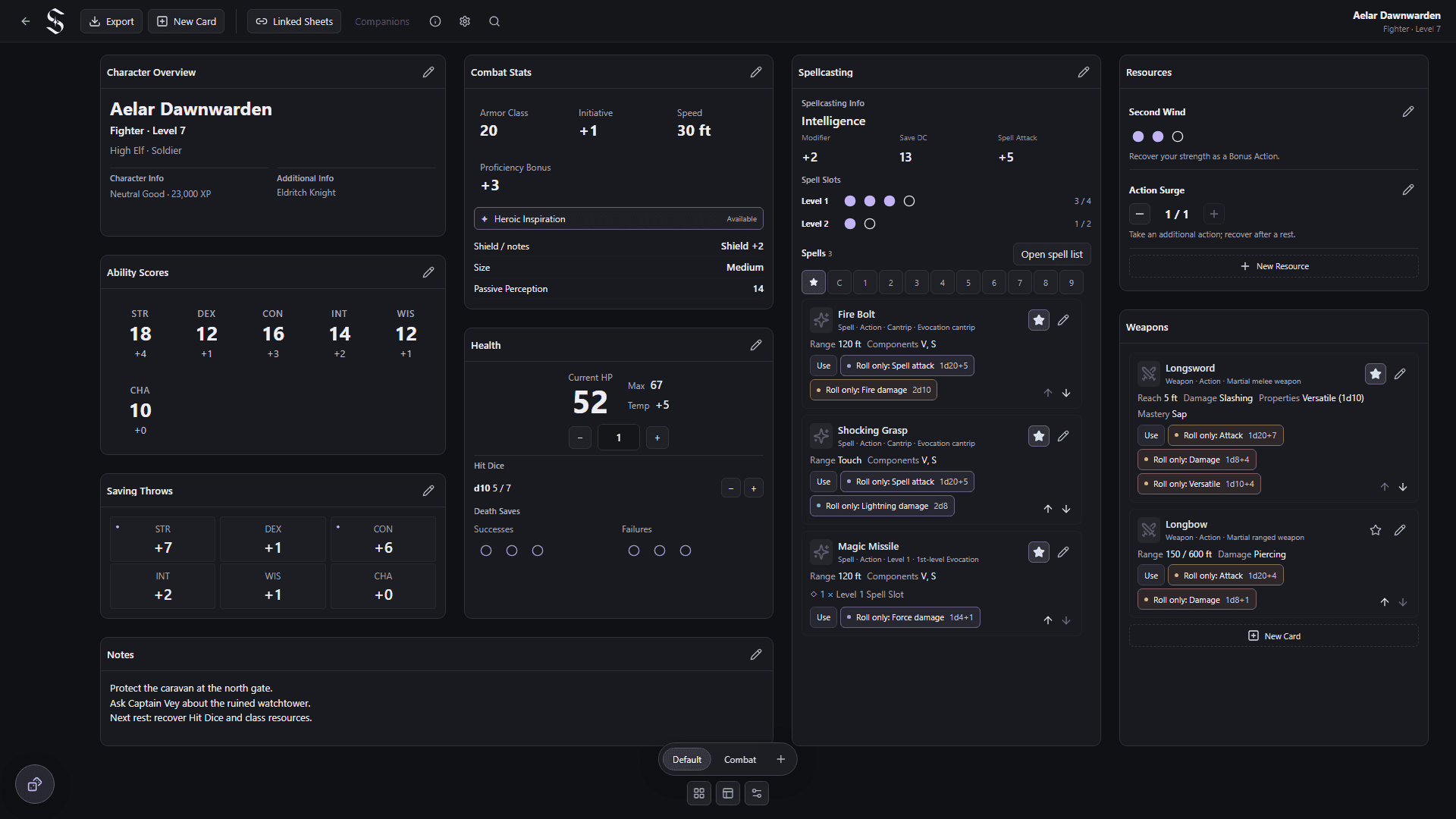
Local character data, without an account
Your characters stay on your computer. Sigil runs as a Windows desktop app, and the sheet is usable offline without a cloud service or sign-in. Downloading the installer and checking for new releases still require an internet connection.
Local storage means you manage your own character data. Sigil is a useful fit if you prefer a desktop sheet to an account-based character platform.
Arrange the layout around your character
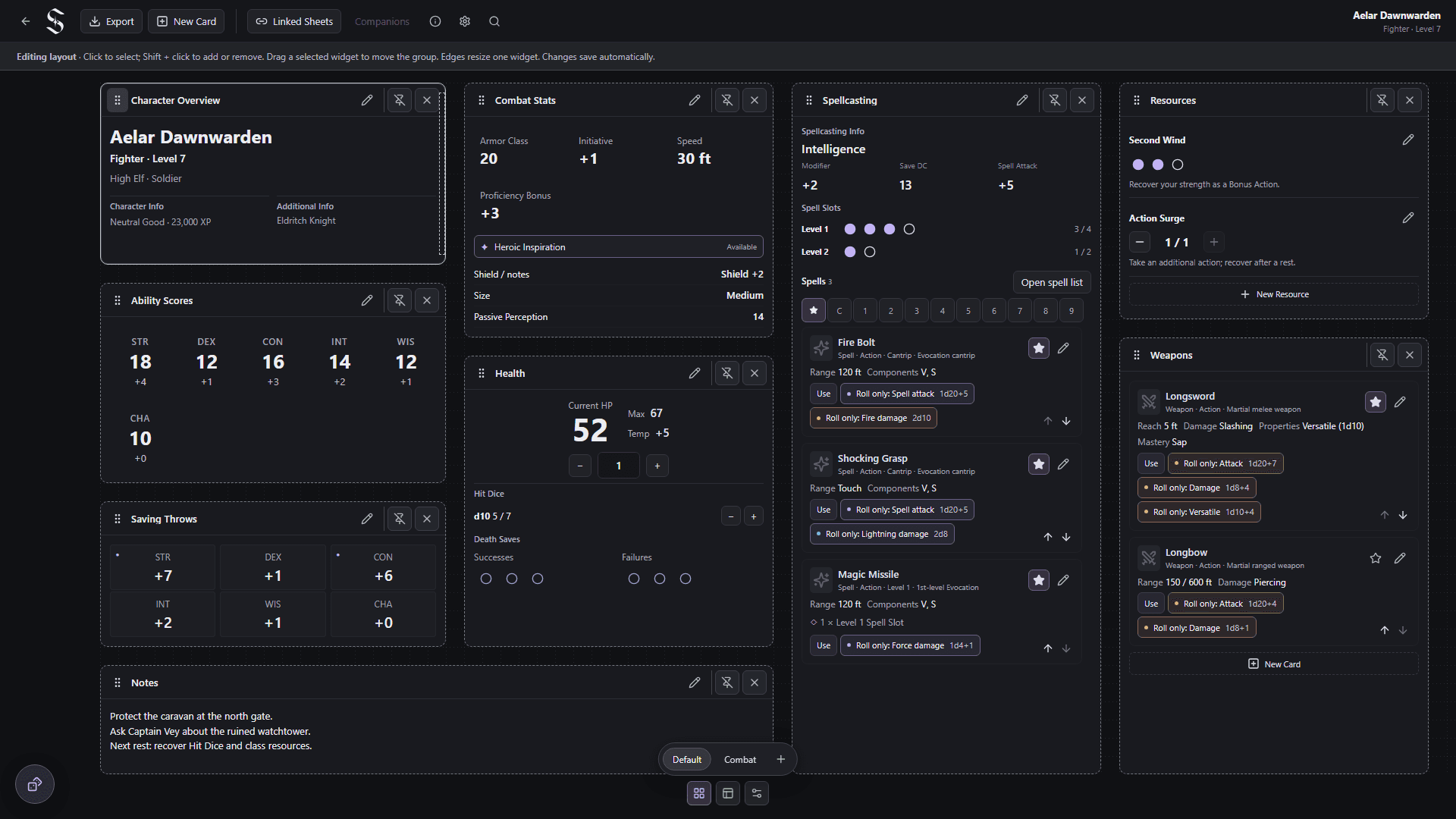
Edit Layout mode lets you move and resize cards, or hide cards you do not need. A spellcaster’s sheet can give spellcasting more space; another character can keep weapons and resources closer at hand.
Cards also have their own details. For example, a weapon card can contain its type, action timing, description and roll actions.
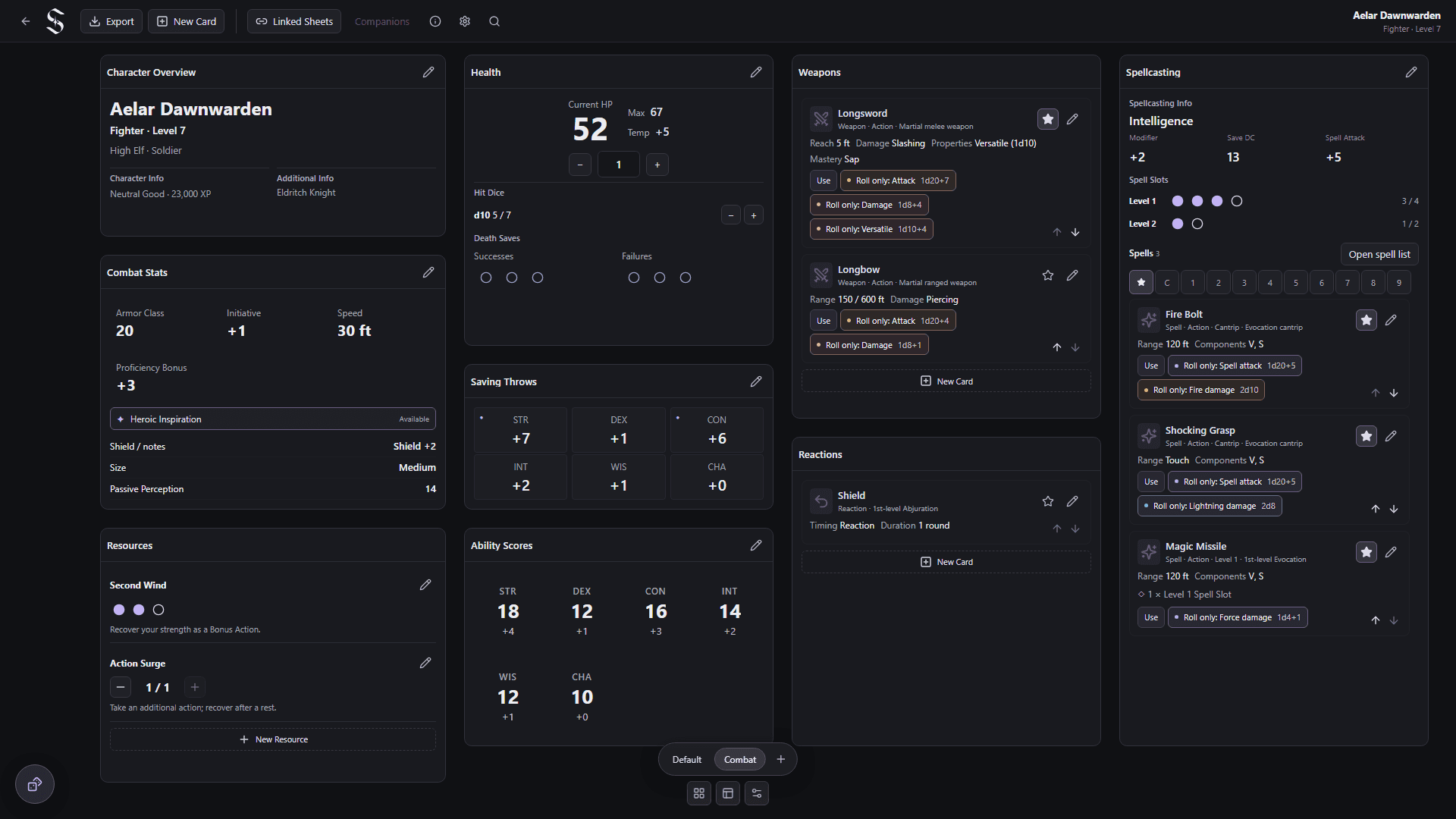
Multiple views of the same character
Different views let you arrange the same character’s sheet for different moments in play. The Default and Combat views shown here bring different cards into focus without needing a separate character.

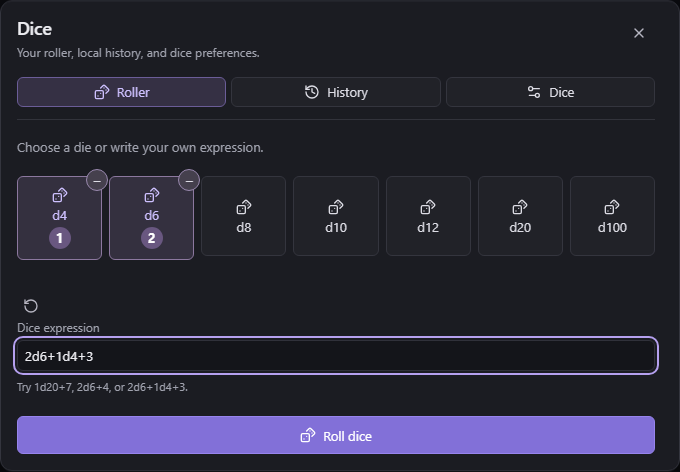
Dice and optional automation during play
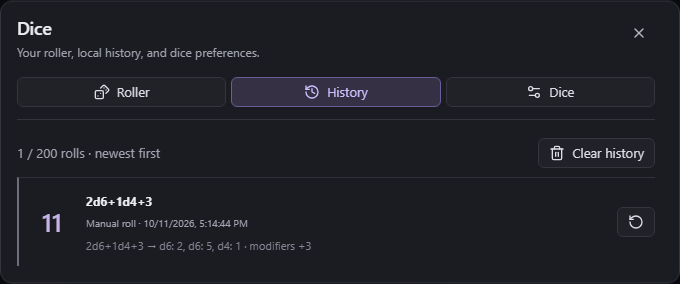
The integrated roller lets you choose dice or enter an expression such as 2d6 + 1d4 + 3. Roll directly in Sigil while keeping the sheet open.
Roll actions and resource costs provide optional quality-of-life automation. You can also manage mechanics manually. Sigil does not enforce every D&D rule: its flexibility leaves room for homebrew and decisions made at the table.
A desktop sheet with manual control
Sigil is useful if you currently use a PDF, want a layout you can change, or prefer to keep character data locally. It is free and actively under development, with optional automation rather than a complete rules engine.
Sigil is an independent project, not affiliated with or endorsed by Wizards of the Coast. Dungeons & Dragons is a trademark of Wizards of the Coast.
Free to use. Stored locally.
Sigil is in active development.